

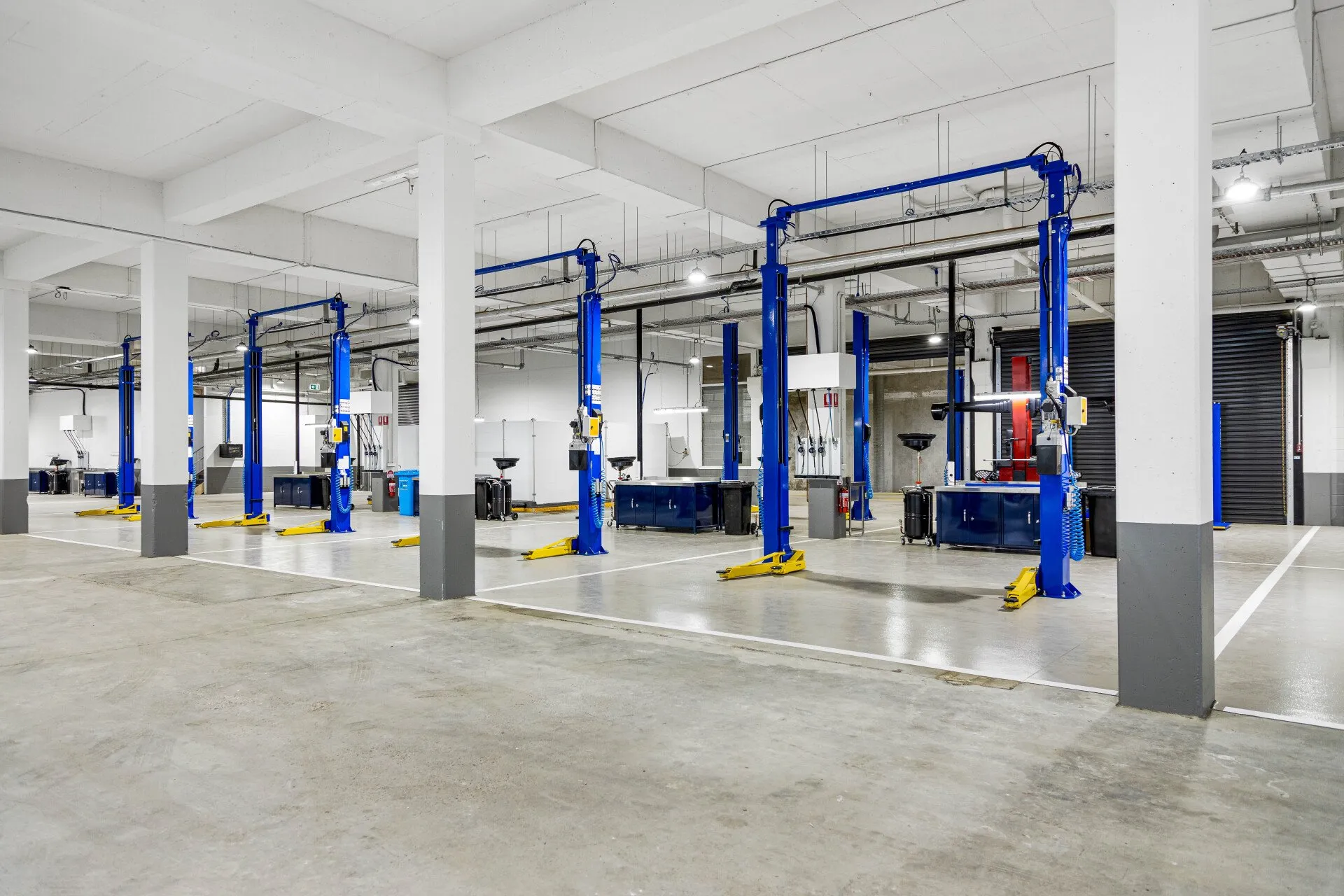
The best workshop design makes work easier, faster, and safer without adding complexity. It supports how vehicles move, how technicians work, and how equipment gets used every day.
Many workshops start with enough space but lose efficiency over time. Layouts do not keep up with higher volumes, heavier vehicles, or tighter turnaround targets. Small design issues then turn into daily delays.
Good workshop design fixes these problems at the layout level. It improves flow, reduces wasted movement, and supports consistent output during busy periods.
This article breaks down what the best workshop design looks like in practice and how the right design decisions improve efficiency in commercial workshops.
What the Best Workshop Design Actually Means
The best workshop design removes the friction that slows work down each day. When layouts fall short, vehicles queue in the wrong places, technicians lose time moving between bays, and simple jobs take longer than they should.
Strong design fixes this at the source. Vehicles move through the workshop in a clear order, technicians reach tools and equipment without delay, and bays stay productive during peak periods.
When the layout reflects real operations, vehicle size, service volume, and staff numbers work in sync. The result is a workshop that runs efficiently now and stays manageable as demand increases.
How to Design the Best Workshop Layout Step by Step
Step 1: Define what the workshop needs to deliver
Start with the outcome. Set clear targets for daily volume, turnaround times, and vehicle types. Confirm the work mix, such as servicing, diagnostics, repairs, or inspections. This gives the layout a job to do.
Key inputs to lock in:
- Vehicle types and sizes
- Jobs per day and peak demand
- Staff numbers per shift
- Special service needs, such as ADAS calibration or heavy vehicle access
Step 2: Map the job flow from entry to exit
A good layout follows the work in a clear order. Map the path a vehicle takes from arrival through to handover. Include every handoff point, not just the bay.
Map these points:
- Arrival and check-in
- Vehicle staging and waiting
- Service bays and specialised bays
- Quality checks and wash bays if relevant
- Exit flow and customer collection
Step 3: Separate vehicle movement from people movement
Work slows down when people and vehicles compete for the same space. Set clear pedestrian paths and keep them consistent across the floor. Reduce crossing points where possible.
Plan for things like marked walkways, clear sight lines at crossings, safe access to tools and parts, and emergency access that’s still open during busy periods.
Step 4: Build zones that match how the team works
Group areas by task so technicians do not waste time moving between unrelated zones. Keep high-use zones close to the bays that depend on them.
Common zones to include are:
- General service bays
- Quick service bays
- Diagnostic and electrical bays
- Long-term repair bays
- Tyre and wheel service area
- Wheel alignment bay
- Parts storage and pick-up
- Fluids, waste, and wash-down areas
- Tool storage and shared equipment
- Warranty storage
Step 5: Lock in bay count, bay size, and clearance
Bay numbers matter, but usable space matters more. Confirm bay width, length, and clearance based on the real vehicles you service. Allow room for door swing, tool trolleys, and safe movement around the vehicle.
Check:
- Vehicle turning circles and entry angles
- Hoist clearance and arm swing
- Space for jacks, stands, and benches
- Access for equipment servicing and inspections
Step 6: Place equipment based on function, not convenience
Equipment placement shapes daily workflow. Put equipment where it supports the task and stays accessible.
Plan early for:
- Hoist locations and load ratings
- Ease of access to oil reels and water reels
- Compressor placement, cooling, noise considerations and service access
- Airline routes and drop points
- Power, lighting, and data needs
- Shared equipment locations that reduce congestion
Step 7: Test the layout against peak demand
A layout can look fine until the workshop hits its busiest day. Run a practical test. Track how vehicles queue, how technicians move, and where congestion forms. Adjust the design before installation begins.
Stress-test scenarios include:
- Peak bookings and walk-ins
- Multiple vehicles arriving at once
- Shared equipment demand
- Breakdowns that block a bay
- End-of-day vehicle movement
Step 8: Plan for change before you need it
Workshops evolve. Volume increases, vehicles change, and services expand. Design for realistic growth so the workshop does not outgrow the layout early.
Allow for:
- Future bays or reconfigured zones
- Additional equipment and service drops
- Storage growth and parts flow changes
- Improved access for new vehicle types
Why Workshop Design Directly Impacts Efficiency
Poor layouts force extra movement, and this is the biggest impact on efficiency. Technicians walk further to reach tools and parts, vehicles need repositioning to access bays or exits, and shared equipment becomes a bottleneck during busy periods.
These delays seem minor, but they compound across the day and reduce total output.
Good workshop design removes these constraints. Clear vehicle paths, well-placed equipment, and defined work zones keep jobs moving without interruption. When movement is predictable, teams work faster without rushing and managers gain better control over daily throughput.
Design Trade-Offs Every Workshop Must Manage
There is no single perfect layout. Every workshop design involves trade-offs that need clear decisions early.
Common trade-offs include:
- Bay count versus usable space: Adding more bays can lift capacity, but tight spacing slows work and increases risk. Fewer bays with proper clearance often deliver better output over time.
- Speed versus safety: Narrow paths and tight turnarounds may save space, but they increase the risk of damage and near misses. Safer layouts protect staff and reduce disruption caused by incidents.
- Fixed layouts versus flexibility: Fixed designs suit stable operations with consistent work. Flexible layouts suit workshops expecting growth or service changes.
Each decision should reflect how the workshop operates today and how it is expected to change. Clear choices at this stage prevent layouts that look efficient on paper but struggle under real conditions.
Talk to HDR About Designing a Workshop That Works
The best workshop design starts with understanding how your operation runs each day. Layout decisions made early affect safety, output, and how easily the workshop handles peak demand.
HDR Workshop Solutions designs workshops for dealerships, fleet operators, and heavy vehicle service centres across Australia. We plan layouts around real workflow, equipment needs, and future growth so workshops perform under pressure, not just at handover.
Our team stays involved from early planning through to installation and ongoing support.
If you are planning a new workshop or upgrading an existing site, start with a clear conversation. Speak with the HDR team to discuss your operation and what the right workshop design should deliver for your business, or call 1300 717 556 today.